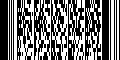

Most barcodes store text information but 2-D barcodes (such as QR-Code, Datamatrix and PDF-417) can also be used to store binary data. This article explains how to get at the binary data using the Softek Barcode Reader Toolkit. 2-D barcodes don’t have any way of telling the barcode reader how they’ve been encoded so it’s not possible to automatically tell whether they represent a string (say of UTF-8 data) or binary data.
You can access the binary data in a 2-D barcode using the GetRawBarString or GetRawBarStringBytes functions rather than the GetBarString function.
Important note: Do not change the default value of the Encoding property if you are going to use this function.
C++
int __stdcall mtGetRawBarString (HANDLE hBarcode, short index, LPSTR pBarCode, int length)
Example:
…
int n = mtScanBarCode(hBarcode, filePath);
for (int i = 1; i <= n; i++)
{
char data[BUFSIZ];
int l = mtGetRawBarString(hBarcode, i, data, BUFSIZ);
…
}
C#
byte[] GetRawBarStringBytes(int nBarcode)
Example:
…
int n = barcode.ScanBarCode(FilePath.Text);
for (int i = 1; i <= nBarCode; i++)
{
byte[] b = barcode.GetRawBarStringBytes(i);
}