Showing 34 Result(s)

How to migrate from BardecodeFiler Desktop to BardecodeFiler Service

Steps to BardecodeFiler Desktop to BardecodeFiler Service: 1. Save your current BardecodeFiler settings to an “ini” file. 2. Right click on BardecodeFiler and select “Run as admin” 3. Go to Options/Service Settings/BardecodeFiler Service 4. Import the settings from the “ini” file. 5. Adjust the input/output/processed and exception folders (they do not get imported). 6. Set …

Digitising Natural History Collections using BardecodeFiler

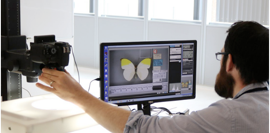
Natural history collections hold vital information that is needed in order to tackle fundamental challenges of our time – from conserving biodiversity to combating disease. The Natural History Museum, London is on an ambitious journey to digitise its collection of 80 million objects. The Museum’s Digital Collections Programme was initiated in 2014, to mass digitise …